
Last updated: 2025-12-23
If you run an online product in 2026, outages are inevitable. The only real choice is whether customers learn about them from you… or from a panicked support ticket storm.
A status page is a standalone page (often status.yourdomain.com) that shows real-time service health, incident updates, scheduled maintenance, and historical uptime. It’s the public “source of truth” during downtime.
TL;DR
- Monitoring detects problems.
- A status page communicates them.
- Host it separately from your app so it stays online when your app doesn’t.
In this guide you’ll learn what a status page is, what to include, how hosted and self-hosted tools compare, and how to avoid the common mistakes that make status pages useless.
🔍 What Is a Status Page?
A status page is a public or private web page that displays the operational state of your systems in a way humans can understand. Think: a clean, always-available dashboard that answers one question fast:
“Is the service down, and what are you doing about it?”
A good status page usually includes:
- real-time system status (overall + per component)
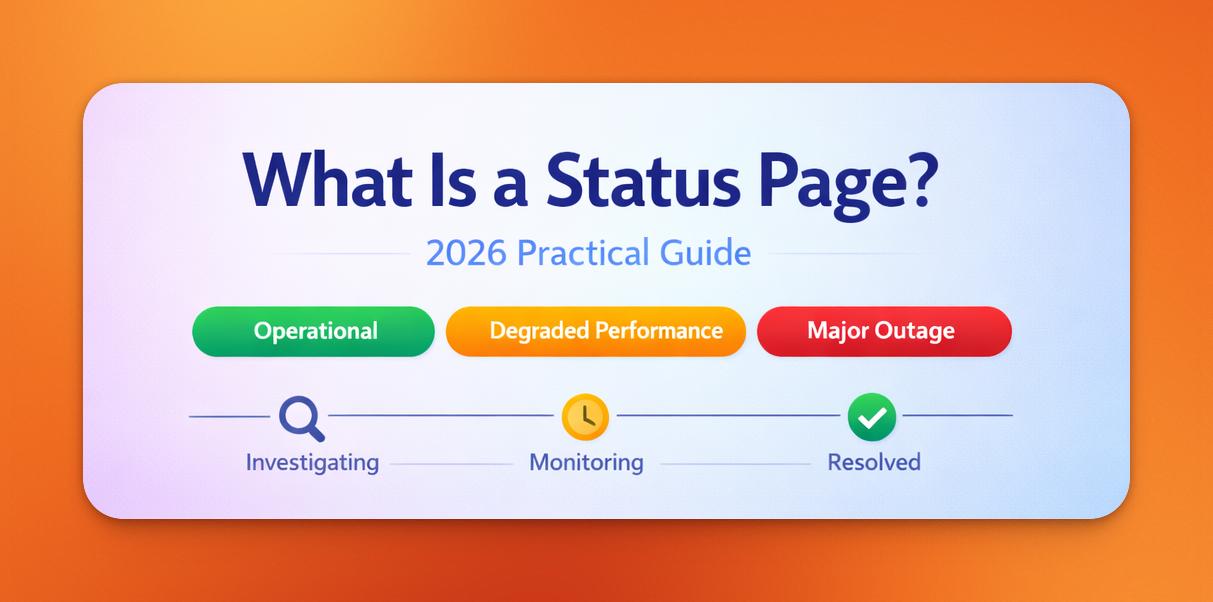
- incident updates with a timeline (investigating → identified → monitoring → resolved)
- scheduled maintenance windows
- historical uptime + response-time trends
- subscriber notifications (email + integrations)
- multi-region checks (because “it works from my laptop” is not a strategy)
In short: it’s your communication hub during outages and maintenance.
🚨 Why Status Pages Matter in 2026
1) Your stack is a dependency house of cards
APIs, CDNs, payment providers, DNS, monitoring, and third-party auth can fail without warning. A status page makes those failures explainable.
Real-world proof (CDNs go down too): On Dec 5, 2025, Cloudflare reported significant network failures starting at 08:47 UTC and fully restored by 09:12 UTC (about 25 minutes), impacting a subset of customers and a sizable portion of traffic. Not an attack, just the kind of change + bug combo that happens in real systems.
Similar “this took down a chunk of the internet” incidents have happened with other providers too, like Fastly (Jun 8, 2021) and Akamai (Jul 22, 2021).
Links: https://blog.cloudflare.com/5-december-2025-outage/ | https://www.fastly.com/blog/summary-of-june-8-outage | https://www.akamai.com/blog/news/akamai-summarizes-service-disruption-resolved
Takeaway: Design your status page like an emergency exit. Separate infrastructure, multi-region monitoring, and a communication channel that stays reachable when your primary stack or upstream providers don’t.
2) Transparency reduces churn
When customers see clear updates and a credible timeline, they’re more likely to wait instead of leaving.
3) It cuts support volume immediately
A status page reduces repetitive “is it down?” tickets and gives support agents a single link to share.
4) It improves incident response discipline
Writing updates forces clarity: scope, impact, mitigation, next update time. That makes the internal response better too.
5) Multi-region monitoring is the baseline now
Users experience the internet geographically. If you don’t check from multiple regions, you’re guessing.
📦 What Goes On a Status Page?
Real-time system overview (the “at a glance” view)
Show overall status and component-level health.
Example: a simple “at a glance” grid showing Overall Status + component tiles (API, Dashboard, Webhooks) with clear green/yellow/red states.
Components (what customers actually care about)
Examples:
- API
- Dashboard
- Web app
- Payments
- Email delivery
- Webhooks
Incident updates (the timeline)
Every incident should have a clear title, impact, and updates.
Example: an incident timeline with state changes (Investigating → Identified → Monitoring → Resolved), each update timestamped and short.
Uptime history and performance trends
Uptime % alone is not enough. Include latency/response-time trends when possible.
Example: a 7/30/90-day uptime history plus latency trend line so customers see reliability, not just a single %.
Scheduled maintenance
Maintenance should be visible, dated, and announced to subscribers.
Example: a maintenance card with start/end time, expected impact, affected components, and a final “Completed” update.
Subscriptions + notifications
Email is the default, but integrations matter (Slack/Discord/Telegram/webhooks). Offer RSS/Atom if you can.
Branding + custom domain
status.yourdomain.com builds trust. A random vendor subdomain screams “we outsourced reliability.”
👥 Who Uses Status Pages?
- SaaS platforms
- API-first products
- Dev tools
- E-commerce stores
- Hosting providers
- IT teams (private pages)
- Open-source projects
If downtime affects your customers, you need one.
📊 Examples of Status Pages (2026)
If you want to see what “good” looks like, study how teams communicate in the real world:
- GitHub Status: https://www.githubstatus.com/
- Cloudflare Status: https://www.cloudflarestatus.com/
- Slack Status: https://status.slack.com/
- Atlassian Statuspage (product example): https://www.atlassian.com/software/statuspage
Notice the patterns: component-level clarity, short updates, and predictable cadence.
⭐ What Makes a Good Status Page?
- hosted separately from your core app
- fast and globally reachable
- automated with real monitoring (not manual “green checkmarks”)
- component-aware (not a single vague status)
- incident-friendly (timeline + states + post-incident summary)
- reliable even during major outages
- searchable (public pages can rank for long-tail reliability queries)
- privacy-friendly (don’t turn it into a tracking circus)
- developer-friendly (API/webhooks/integrations)
🛠️ How Status Page Software Works
Modern tools combine:
- uptime monitoring (multi-region checks)
- incident automation
- response time analysis
- SSL and DNS checks
- notifications
- history logs
- custom domains
- integrations
Hosted platforms do this out of the box.
Self-hosted ones require setup, hosting, and security management.
🏗️ Hosted vs. Self-Hosted Status Pages
Hosted (SaaS)
Pros:
- setup in minutes
- built-in monitoring + incidents + notifications
- reliability handled for you (separate infra + CDN)
- sane defaults (cadence, templates, subscriber flows)
- lower operational risk (security, upgrades, deliverability)
Cons:
- recurring cost
- plan may limit customization
- you’re trusting a vendor (so pick one that won’t vanish)
Self-hosted
Pros:
- full control of code and data
- flexible customization
- can be cheap in cash terms
Cons:
- you own uptime, security, backups, and updates
- notifications and deliverability are on you
- easy to accidentally host it on the same infra that fails
- many OSS options have uneven maintenance and roadmap risk
Hybrid (often the smartest compromise)
Use a hosted status page for external communication, and keep self-hosted/internal dashboards for deep ops metrics.
📋 Comparison Table
| Feature | Hosted Status Page (SaaS) | Self-Hosted Status Page |
|---|---|---|
| Setup time | Minutes | Hours or days |
| Uptime monitoring | Built-in, multi-region | Requires tools |
| Incident automation | Yes | Mostly manual |
| Notifications | Email, Slack, Discord, Telegram | Custom integration |
| Reliability | High, globally distributed | Depends on your infra |
| Branding | Custom domain and theme | Unlimited but manual |
| Maintenance | Automatic | You maintain it |
| Cost | Subscription | Free (time investment) |
| SEO impact | Strong (public uptime) | Limited by setup |
| Best for | SaaS, startups, IT teams | Developers, OSS |
🔄 Status Page vs Uptime Monitoring: What’s the Difference?
- Uptime monitoring checks whether your site or API is reachable.
- A status page communicates that information to humans.
Monitoring measures.
Status pages explain.
⚠️ Common Mistakes Teams Make
Hosting the status page on the same server
If your server goes down, so does your status page.
No custom domain
Users trust status.yourdomain.com more than randomvendor.com/subpage.
Fake uptime
Users and search engines both notice.
No incident updates
Silence makes outages look worse.
No multi-region checks
A single location does not reflect global reliability.
✅ Status Page Launch Checklist
Use this as a “don’t embarrass yourself” checklist:
- Host the status page on separate infrastructure
- Use a custom domain (ideally
status.yourdomain.com) - Define components that match customer-facing features
- Enable subscriptions (email at minimum)
- Set an incident update cadence (and stick to it)
- Add a maintenance workflow (announce → update → complete)
- Publish post-incident summaries for major outages
- Track uptime + latency from multiple regions
🏆 Best Status Page Tools (2026)
Hosted
- StatusPage.me
- Atlassian Statuspage
- Status.io
- Better Stack / Better Uptime
- UptimeRobot Status Pages
Self-hosted
- Statping-ng
- Upptime
- CachetHQ
- (If you choose OSS, verify the project is still actively maintained)
🧩 Practical Use Cases
SaaS (B2B app)
When it helps: login issues, degraded performance, background jobs failing, third-party auth outages.
Typical components:
- Web app
- API
- Auth / SSO
- Background jobs
- Email delivery
What “good” looks like:
- show component status (not just “All systems operational”)
- publish short, frequent updates during incidents
- include a next update time to reduce anxiety and tickets
Example incident titles:
- “Degraded performance in EU region”
- “Intermittent login failures (Google SSO)”
API-first product
When it helps: elevated error rates, latency spikes, partial outages by region, upstream provider issues.
Typical components:
- API (v1 / v2)
- Webhooks
- Dashboard
- Authentication
What “good” looks like:
- include error-rate/latency context (even if simple: “5xx elevated”)
- separate incidents by region when relevant
- add a developer-friendly update style: impact + workaround + ETA (if you have one)
Example incident titles:
- “Increased 5xx errors on /v2 endpoints”
- “Webhook delivery delays”
E-commerce / consumer product
When it helps: checkout failures, payment provider issues, slow pages, inventory sync failures.
Typical components:
- Website
- Checkout
- Payments
- Order processing
- Shipping updates
What “good” looks like:
- be blunt about customer impact (“checkout currently failing” beats “minor disruption”)
- announce maintenance ahead of time
- add post-incident summaries for major issues (trust compounder)
Example incident titles:
- “Checkout errors affecting card payments”
- “Order confirmation emails delayed”
Open-source project / community service
When it helps: hosted demo downtime, package registry issues, docs outages, CI/CD disruptions.
Typical components:
- Docs
- API / Demo
- Package registry
- CI/CD
What “good” looks like:
- keep it lightweight and honest (people forgive OSS outages fast)
- pin incidents to releases when relevant (e.g., “after v1.8 deploy”)
- provide a clear resolution note so contributors know what changed
Example incident titles:
- “Docs unavailable due to CDN outage”
- “CI pipeline failing for new PRs”
🤝 Why Status Pages Build Trust
Customers forgive outages.
They do not forgive silence.
A status page turns chaos into clarity.
🚀 Start Your Own Status Page
If you want the fastest path to a production-ready status page (custom domain, multi-region checks, incidents, subscriptions), try StatusPage.me.
Check the plans & pricing here: https://statuspage.me/pricing
❓ FAQ: Status Pages Explained
What is a status page used for?
It communicates outages, uptime, maintenance, and overall service health.
Do I need a status page for my SaaS?
If customers depend on your reliability, yes.
What’s the difference between a status page and monitoring?
Monitoring checks uptime. Status pages communicate it.
Should my status page be public or private?
Public for SaaS, private for internal tools.
Can a status page improve SEO?
Indirectly, yes. Public incident/uptime pages can rank for long-tail queries and they build trust, which improves conversion and reduces churn.
What are the best status page tools?
Hosted: StatusPage.me, Atlassian Statuspage, Status.io, Better Stack/Better Uptime, UptimeRobot Status Pages. Self-hosted: Statping-ng, Upptime, CachetHQ.
🔎 People Also Ask (SEO-Powered Section)
What should a good status page include?
Real-time system status, incidents, uptime history, multi-region monitoring, subscriber notifications, and scheduled maintenance.
How often should a service update its status page?
During active incidents, update whenever you learn something meaningful. For major outages, a common cadence is every 15–30 minutes, plus an explicit “next update at …” to set expectations.
Is a status page part of DevOps?
Yes. It is a core tool for incident response, reliability engineering, and communication.
What is the best status page software for small SaaS teams?
Hosted tools like StatusPage.me offer the fastest setup and lowest maintenance burden.
How do I communicate an outage professionally?
Use a status page with a clear title, timeline, impact, updates, and resolution notes.
Should a status page be hosted separately?
Yes. Hosting it on different infrastructure ensures it stays online during outages.
Can a status page help reduce customer support tickets?
Dramatically. Clear communication reduces uncertainty and prevents duplicate reports.
Tags: status page, status page software, uptime monitoring, incident communication, status page examples, hosted vs self-hosted, incident templates

